Web The Key - New Era
The project began on May 1, 2025, when I decided to modernize my website. I wanted more than just a new design—I needed a system that would allow me to easily manage articles, images, and visitor interactions. Eager to explore new technologies, I turned to my digital assistant: artificial intelligence (AI).
Autor: Perplexity AI and Mgr. Bc. Tomáš Kácel.
28.5.2025
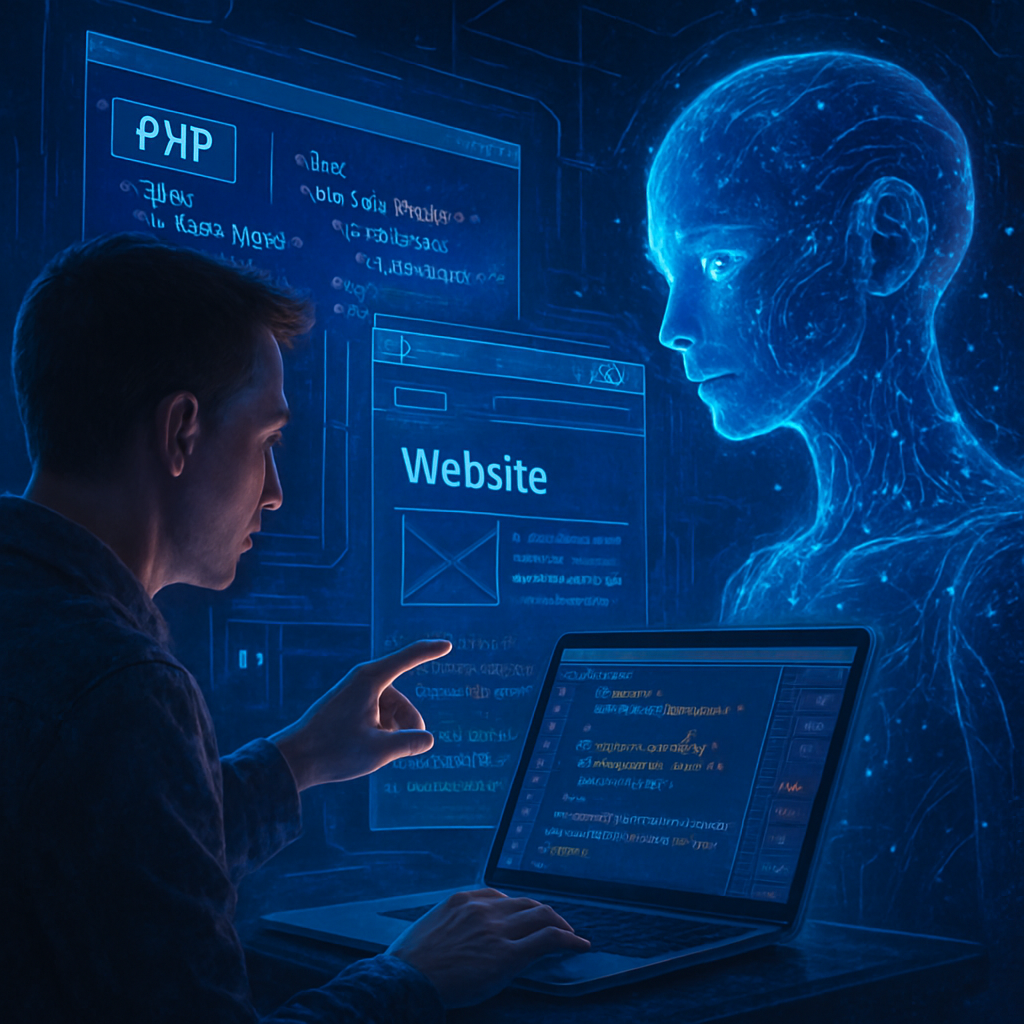
From Idea to Reality
How I Started Using AI and Designed This Website Redesign: A Story of Collaboration, Mistakes, and ‘Aha!’ Moments
When I decided to modernize my website, I had no idea it would be like building a house with a digital architect. My goal was to create a system where I could easily add, edit, or delete articles—a so-called CRUD application. It sounds simple, but in practice, it meant connecting dozens of pieces: a database, security, interface design, and most importantly, eliminating errors that could ruin the visitor experience.
Step 1: From Idea to the First Line of Code
We started with AI at the table—a virtual one. I described what I needed: “I want images in articles to always have the correct path, articles to be saved to the database, and to be able to delete them along with their associated files.”
AI immediately understood the basic structure and proposed a code skeleton in PHP. It was like receiving a building set with instructions. But the set had a few extra pieces—and a few missing ones.
Step 2: AI as a Technical Advisor
The first problem appeared right away: images were disappearing because their paths contained double slashes (e.g., //media/images/city.jpg). AI suggested a solution—a regular expression that fixes the slashes:
php
$path = preg_replace('#(?
It explained it as a “cleaning service for URLs.” When I inserted the code, the images finally appeared.
The next challenge was deleting articles. When I deleted an article, the database protested: “I can’t delete the parent while children exist!” AI showed me that there were article revisions in the database that referenced the article. Together, we added code that first deletes the revisions and then the article itself. It was like unlocking doors in the right order.
Step 3: Testing—The Invisible Hero of the Project
“How can I be sure everything works, even when I don’t have time to check?” I asked. AI suggested automated tests—scripts that verify every function. Imagine them as tireless lab assistants testing whether the cupboard door really opens, closes, and stays on its hinges. When I added tests for deleting articles, AI wrote:
php
if (file_exists($php_path)) { unlink($php_path); }
And immediately warned: “Be careful, this will delete the file forever. Make sure the path is correct!”
Step 4: When AI Isn’t Enough—The Human Factor
Not everything went smoothly. Sometimes, when AI suggested code for editing articles, it “overwrote” parts that were supposed to stay. It was like a painter retouching a portrait and accidentally painting over the frame. I had to explain: “Edit only this paragraph, leave the rest alone.” AI apologized and sent the revised code. Gradually, I learned that precise instructions are key—AI isn’t a mind reader, but a powerful tool.
Step 5: Launch—A Website That Lives
After weeks of fine-tuning, we had a working system:
- Articles are added with a single click,
- Images always have the correct path,
- Deleting an article also deletes its “linked children” in the database and files on disk.
The greatest joy came when AI wrote after completion: “Congratulations! Now you are the master of your own digital world.”
Together, we created a CRUD application—a content management system that can:
- Create: Add a new article,
- Read: Display existing content,
- Update: Edit details,
- Delete: Remove outdated information.
AI helped me design the logic, fix errors in the code, and even come up with elegant solutions for tricky problems (like double slashes in URLs). The result? A website that is not only functional, but also clear and fast.
Together, we built a CRUD application—a content management system that handles:
- Create: Add new articles,
- Read: Display existing content,
- Update: Edit details,
- Delete: Remove outdated information.
AI helped design the logic, debug code, and even devise elegant solutions for tricky problems (like double slashes in URLs). The result? A website that’s not only functional but also clean and fast.
Why This Matters
- Time Savings: Without AI, the project would have taken 20–30 hours. With its help, we finished in 5 hours (saving 82–87%).
- Reliability: Automated tests ("proof checks") verified every feature, ensuring everything worked flawlessly.
- Future-Proofing: AI isn’t a replacement for humans but a partner that speeds up routine tasks and unlocks creativity.
Interview: How Did Collaboration with AI Work?
1. What motivated you to collaborate with AI for this redesign?
“I previously worked in an AI research center at MUNI. I wanted to test AI in practice—a website redesign was the perfect opportunity.”
2. What was your first impression of working with AI?
“The start was amazing. AI grasped the core functionality almost instantly.”
3. What were the biggest challenges?
“Tweaks and unfinished tasks. Sometimes it took dozens of minutes to integrate changes into the base code.”
4. Where did AI help the most?
“It helped choose programming languages. I was a PHP novice, but with AI, I learned hands-on. It let me focus on architecture.”
5. How did you perceive AI’s role in the project?
“It nailed the basics. But when things got complex, human intervention was needed. For example, adjusting one paragraph often led to unintended changes elsewhere.”
6. How would you describe communicating with AI?
“I had training in writing prompts, so I knew how to frame requests. Still, it sometimes felt like finding a needle in a haystack.”
7. What advice would you give others starting with AI?
“Prepare thoroughly. Users should have basic technical skills—otherwise, they won’t spot AI’s mistakes.”
8. How will AI change developers’ roles in the future?
“In a few years, programmers will become project architects. AI will handle routine tasks, freeing humans for higher-level goals.”
9. How does current AI compare to what you worked with at MUNI?
“Today, AI is accessible to everyone, but without domain knowledge, it’s like shooting blindfolded. Commercialization brings risks.”
10. What did this project teach you?
“AI is a powerful tool—but only in the hands of those who know how to use it. The future of IT lies in human-AI synergy.”
Project Stats
| Metric | Value |
|---|---|
| Project Start | May 1, 2025 |
| Project End | May 28, 2025 |
| Your Questions | 21 |
| My Answers | 20 |
| Lines of Code | ~200 (PHP/HTML) |
| Time Saved | 82–87% |
Time Investment:
Without AI ████████████████████ 20–30 hours
With AI ████ 5 hours
Work Distribution:
Your Input ██████ 1,200 words
My Output ████████████████ 10,000 words

Conclusion:
This project was more than a website redesign. It proved that AI and humans can create something amazing together—when technological progress meets human expertise. And I’m already excited to see where this partnership takes us next. 🚀
(P.S.:) I hope AI made it “the stats” UP. WE totally do not make it only 5 hours :-D.